 Edge
Edge
 Firefox
 Other browsers
Celarion Survivors
Writer
Mar 10, 2026 (UTC)
.jpg)
How to Participate
Click the ( ) icon above the Fatigue
Point bar to check the event information.
After clearing mini-game and event missions,
you will obtain various event rewards!
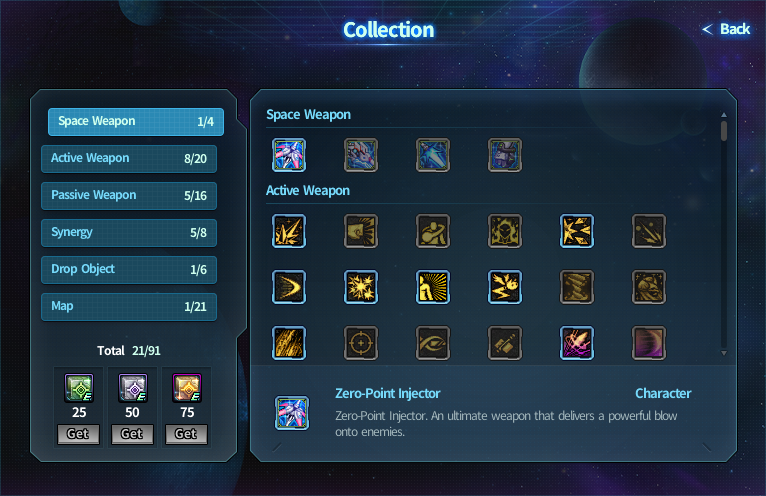
Gather collections from the event
to enjoy the mini-games even more!
Collect Celarion Tokens to purchase a handful of rewards!
The 11th Anniversary Special Shop
is located in Celarion with NPC Imel Shop!
Play Guide
Referring the play guide below will help you understand the mini-game better.
 |
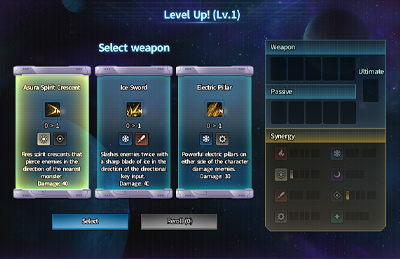 |
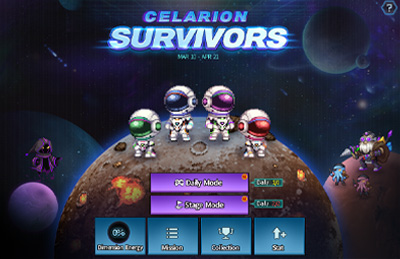
| Choose Daily Mode or Stage Mode to start the mini-game. Before starting the mini-game, please select a stage and a character. * You cannot select a stage in Daily Mode. | Choose a starting weapon before the mini-game begins. When the character levels up, you can choose additional weapons and passive skills. |
 |
 |
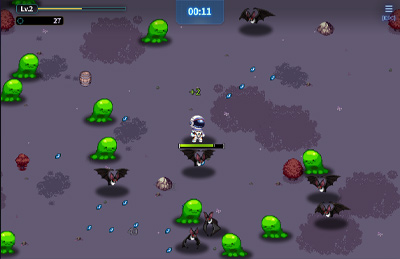
| Move your character with the directional keys to defeat enemies and collect jewels to level up. The mini-game ends when the boss is defeated or when the character's HP reaches 0. |
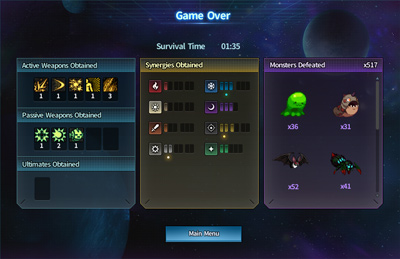
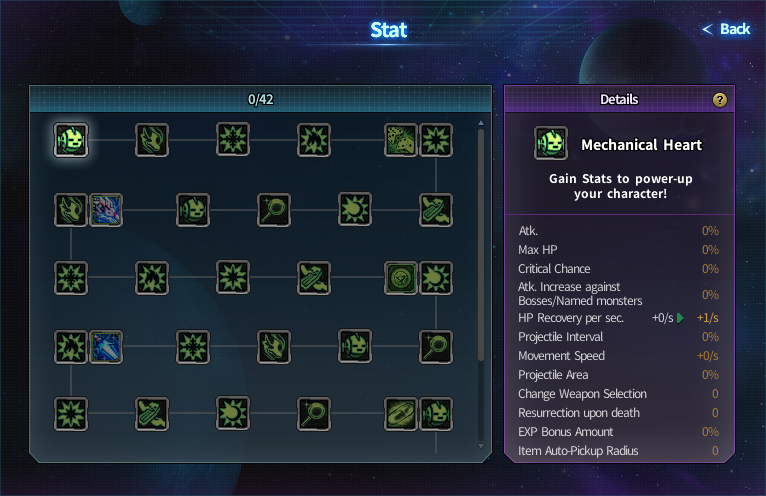
Check the results after the mini-game ends. You can unlock new weapons by clearing Daily Mode! |
 |
|
 |
|
 |
|
 |
|
Event Rewards
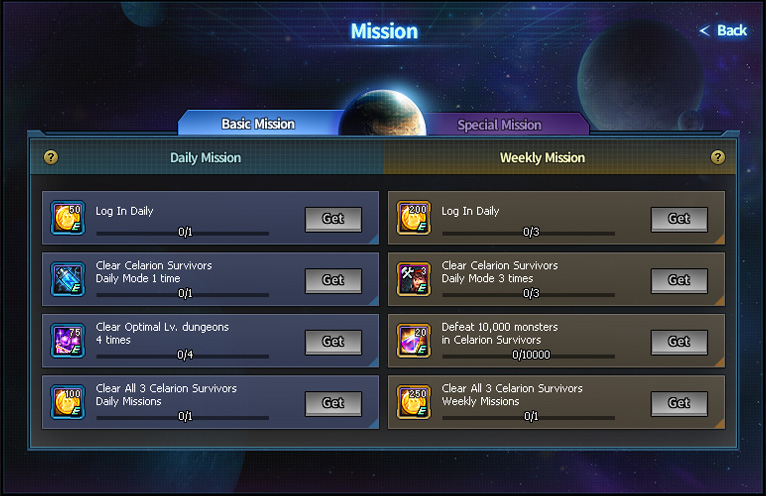
Event Mission
| Mission Type | Mission | Reward | |
| Daily | Login Daily 1 time |  |
Celarion Token x50 |
| Clear Celarion Survivors Daily Mode 1 time |  |
Celarion Survivors Stat Boost Capsule | |
| Clear Optimal Level Dungeons 4 times |  |
[Event] Doom Oracle Box(1) x75 | |
| Clear All 3 Celarion Survivors Daily Missions | |
Celarion Token x100 | |
| Weekly | Login Daily 3 times | |
Celarion Token x200 |
| Clear Celarion Survivors Daily Mode 3 times |  |
Delilah's Repair Coupon (All Parts) x3 | |
| Defeat 10,000 monsters in Celarion Survivors |  |
[Event] Warlord's Cry Potion x20 | |
| Clear All 3 Celarion Survivors Weekly Missions | |
Celarion Token x250 | |
| Special | Unlock Dimension Ripper |  |
[Event] Abyssal Doom Oracle Box (120) |
| Unlock Binary Eclipse |  |
[Event] Radiant Doom Doorplate | |
| Unlock Tectonic Buster |  |
[Event] Lustrous Doom Doorplate | |
| Clear Stage 7 |  |
Celarion Survivors Stage Clear Mission Reward Box 1 - Celarion Token x400 - Celarion Survivors Rift Energy Capsule x1 |
|
| Clear Stage 14 |  |
Celarion Survivors Stage Clear Mission Reward Box 2 - Celarion Token x600 - Celarion Survivors Rift Energy Capsule x1 |
|
| Clear Stage 21 |  |
Celarion Survivors Stage Clear Mission Reward Box 3 - Celarion Token x1000 - Celarion Survivors Rift Energy Capsule x1 |
|
| Defeat 40,000 monsters in Celarion Survivors |  |
Captain Raider Transformation Costume Box [Captain Raider Transformation Costume Preview]  |
|
| ??? |  |
Warp Master Transformation Costume Box [Warp Master Transformation Costume Preview]  |
|
Collection Rewards
| Number of Collection | Reward | |
| 25 |  |
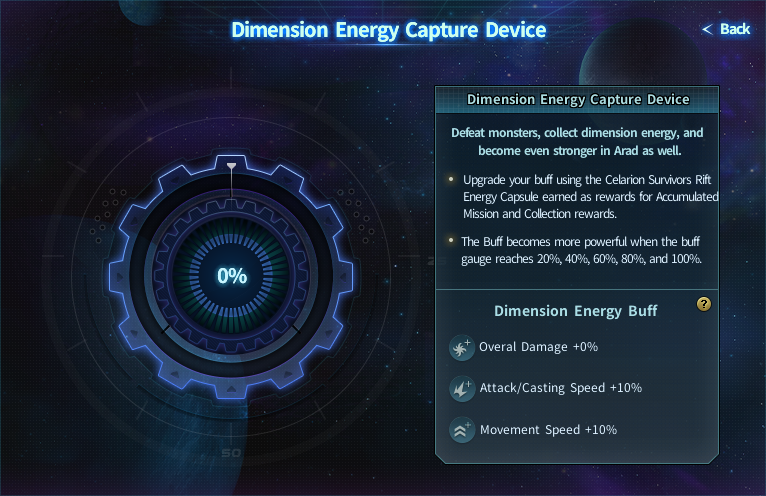
Celarion Survivors Collection Reward Box 1 - Celarion Token x500 - Celarion Survivors Dimension Energy Capsule x1 |
| 50 |  |
Celarion Survivors Collection Reward Box 2 - Celarion Token x500 - Celarion Survivors Dimension Energy Capsule x1 |
| 75 |  |
Celarion Survivors Collection Reward Box 3 - Untradable Unique Red Artifact Selection Box - Untradable Unique Blue Artifact Selection Box - Untradable Unique Green Artifact Selection Box |
# Please note
- The event and its progress is shared by account.
- Daily missions are reset every day at 09:00 UTC, and weekly missions are reset every Tuesday at 09:00 UTC.
- Collection and mission rewards are sent to your mailbox.
- Unused items will be deleted at 09:00, APR 21, 2026 UTC.