By using this Neople’s site, you agree to our use of cookies. Click here for more information

Convenience Update


  • The Guild window UI has been improved.


- The Guild Info and Guildsmen tabs are now displayed on the same page.

- The Guild Content Shop and Bulletin Board menu now appear in a separate tab.

- Other UI has been relocated.


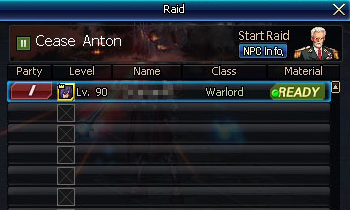
  • The ‘My Attack Unit’ window now displays your members' dungeon clearance count/reward conditions per Raid phase.


> Before Starting Raiod


> While Raid is in Progress


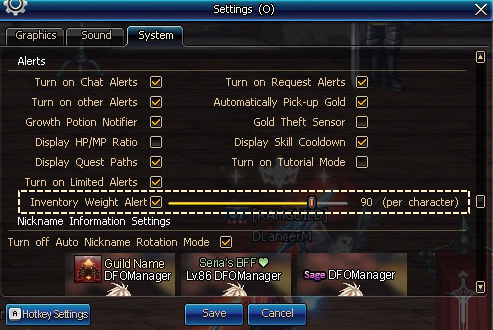
  • A new UI has been added to inform you when your inventory weight reaches 90% or above.


- You can turn this UI on/off.


  • You can now Disassemble All to disassemble all equipment including those for your class.


- You can now use this menu to disassemble Magic-sealed weapons and Force/Fierce equipment for your class.
- Make sure to lock the items that you are currently using or don't want to lose.


  • Equipment Selection Boxes, when used, now inform you in case you have the same equipment in your inventory, safe, or Account Vault.


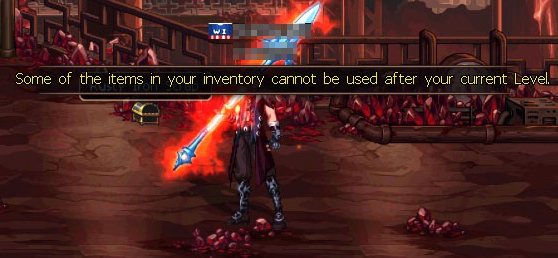
  • An alert is now displayed if your Character Level matches Level-limited (Max Level) items in your inventory.
    Example: Carry a Level Up Ticket (Lv. 20~25), and this alert will appear if you reach Level 25 while in a dungeon.


> In Dungeon


> In Town


  • You can now unblock offline characters in your Blocked list.


  • If your party members are disconnected or lag during party play, the map-loading cinematics will shorten to 60 seconds.


  • The Internal Chat window, while in Invisible mode, now enables you to click item links in it and scroll up/down more quickly.

- Bring the cursor + Shift over to the Chat window to activate the window.


  • Epic items can no longer be discarded.


  • The button area in the shops has been expanded to prevent accidental purchases.


  • The Mt. Kulun Results screen has implemented a shorter waiting time for its Reward card.


  • The View My Attack Unit button in the Raid Party window now displays its hotkey (Spacebar) information tooltip.


  • The Open Reinforcement pop-up window no longer reinforces items when you use the Enter key to chat.


  • Open Reinforcement now checks your Gold and materials before each reinforcement attempt.


  • When you close the Personal Disassembler window with the Esc key, you can now use Spacebar to close the Confirmation window.


  • Enchanting Beads can no longer be used on Locked items.


  • The Quest Information pop-up window that appears when you move to the Raid channel without completing the requisite quest now displays a different message.


  • Purchased Guild contents that are automatically used when clicked are outlined in gold.


Update History Top
Close